

Introduction
You don’t need to spend more than $1,000 to get a capable laptop in 2026.At this price, you can find lightweight ultrabooks, powerful productivity machines, gaming laptops with dedicated graphics, and even 2-in-1 models with touchscreens.The important part is choosing a laptop that matches how you plan to use it. A student looking for long battery life has very different needs from a gamer or someone who works with demanding applications.Here are seven of the best laptops under $1,000, each chosen for a different type of user.
1. HP OmniBook 5 AI — Best Overall
The HP OmniBook 5 AI is one of the most balanced Windows laptops you can find below $1,000.It combines modern AMD Ryzen AI hardware with a large 16-inch display, plenty of memory, and enough performance for most everyday tasks.
The combination of performance, battery life, and screen size is what makes the OmniBook 5 stand out.Current configurations use AMD Ryzen AI processors with dedicated NPUs for on-device AI features. Some versions come with 16GB of RAM and a 512GB SSD, while recent listings have placed the laptop around the $800 range.
The 16-inch 16:10 display provides plenty of room for documents, spreadsheets, websites, and multitasking.The efficient Ryzen AI 5 340 configuration is also designed to provide strong battery life, making the laptop practical for long work or study sessions. Recent testing specifically highlighted its endurance as one of its biggest strengths.
Best for: Most people who want a balanced Windows laptop for work, school, browsing, and everyday use.
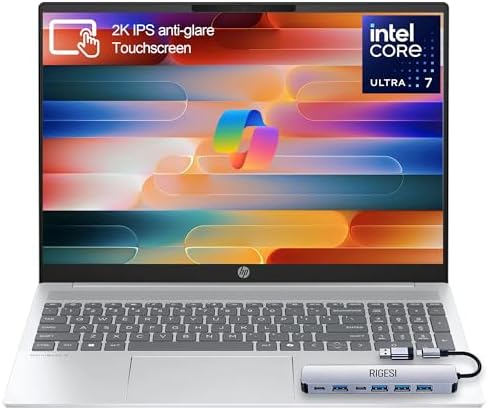
- 🚀 Powerful Intel Core Ultra 7 AI Performance Powered by the latest Intel Core Ultra 7 processor with built-in AI acceler…
- 🖥️ Large 16” Touchscreen Display Enjoy an immersive 16-inch touchscreen with crisp visuals and responsive touch control—…
- ⚡ Fast & Reliable Memory and Storage Equipped with 16GB high-speed RAM and a massive 1TB SSD, ensuring smooth multitaski…
2. Acer Swift Go 14 AI — Best Windows Ultrabook
The Acer Swift Go 14 AI is designed for people who want a lightweight Windows laptop without paying premium ultrabook prices.Its compact 14-inch design makes it considerably easier to carry than larger productivity and gaming laptops.
Portability is the main advantage.The Swift Go 14 combines a relatively thin design with modern Intel Core Ultra hardware and AI acceleration. Some configurations also feature OLED displays, which can provide significantly better contrast and colors than standard IPS panels.
The 14-inch screen provides a good balance between portability and workspace.It is well suited to browsing, writing, office applications, video calls, and multitasking, while its smaller size makes it convenient for commuting or studying.
Best for: Windows users who want a lightweight laptop that is easy to carry without giving up modern hardware.

- Ready, Set Go!: Say hi to the all-new Swift Go—your AI ready laptop featuring the latest Intel Core Ultra 7 Processor an…
- Indulge Your Eyes: The Swift Go 14-inch WUXGA (1920 x 1200) IPS display with 100% sRGB offers vivid color accuracy, rema…
- Next-Gen Performance: Featuring the next-gen Intel Core Ultra 7 processor 155H – with 16 cores and 22 threads-and dedica…
3. ASUS Vivobook 14 AI — Best Value
The ASUS Vivobook 14 AI focuses on giving buyers as much hardware as possible for their money.Recent configurations use AMD Ryzen AI processors, 16GB of RAM, and up to 1TB of SSD storage, making it particularly competitive for everyday productivity. One recent 2026 evaluation placed the Vivobook 14 among the strongest budget AI laptops, with configurations around $600–$700.
Value is the main attraction.A laptop with 16GB of RAM and 1TB of storage can be considerably more useful for multitasking and storing files than a similarly priced machine with only 8GB of RAM and 256GB of storage.
The Vivobook 14 is well suited to browsing, office applications, streaming, video calls, and general multitasking.Its Ryzen AI processor also includes a dedicated NPU for compatible AI workloads, allowing certain tasks to run locally instead of relying entirely on cloud processing.
Best for: Buyers who want strong specifications and plenty of storage without spending the entire $1,000 budget.

- [Faster than fast.] Gaming and productivity is in our DNA. Plus, get stuff done fast with Windows tools designed to make…
- [Can your Mac do this? ] Level up your game with Game Bar, and more. Immerse yourself in vivid worlds and experience imp…
- Copilot+ PCs. A New AI Era Begins Turn your ideas from text prompts into generated artwork. With Recall1, search across …
4. Lenovo IdeaPad Slim 5 — Best Battery Life
The Lenovo IdeaPad Slim 5 is a practical Windows laptop focused on portability, efficiency, and everyday productivity.Some versions use Qualcomm Snapdragon X Plus processors, turning the laptop into a Copilot+ PC with a dedicated NPU.
Battery efficiency is the biggest advantage.The Snapdragon X Plus platform is designed to provide strong performance while consuming relatively little power. Recent testing of the IdeaPad Slim 5x highlighted its excellent battery life alongside a durable metal chassis and OLED display.
The IdeaPad Slim 5 is well suited to students, remote workers, and anyone who spends long periods away from an outlet.It handles documents, browsing, streaming, video calls, and normal multitasking without requiring a high-performance gaming processor.
Best for: Students and professionals who prioritize battery life and portability.

5. Dell Inspiron 14 Plus — Best for Productivity
The Dell Inspiron 14 Plus is aimed at users who want a comfortable workspace without carrying around a large 15- or 16-inch laptop.Its 14-inch 16:10 display provides more vertical space than traditional 16:9 screens, which can make a noticeable difference when working with documents and websites.
The display format is particularly useful for productivity.A taller 16:10 screen allows you to see more lines of text or more rows in a spreadsheet without constantly scrolling.Some configurations also offer high-resolution touchscreens, 16GB of memory, and 1TB SSD storage.
The Inspiron 14 Plus is a good fit for office work, spreadsheets, research, writing, and multitasking.The larger 16:10 workspace is especially useful when working with multiple windows side by side.
Best for: Professionals and heavy multitaskers who want a comfortable display for productivity.

- 【Powerful Performance】Unleash power-packed performance with SnapdragonX Plus(8-core, 3.4GHz Single-Core. 3.2Ghz Multi-Co…
- 【14″ FHD+ Display】Crisp visuals with 14-inch FHD+ display, up to 1920×1200 resolution.Read comfortably while scrolling l…
- 【High-speed memory and storage】Enjoy the luxury of up to an impressive 32GB of LPDDR5X RAM, enabling seamless multitaski…
6. Lenovo Yoga 7i 2-in-1 — Best 2-in-1
The Lenovo Yoga 7i 2-in-1 is aimed at users who want a traditional laptop that can also work as a tablet.Its 360-degree hinge allows the screen to fold backward, giving you several different ways to use the computer.
Versatility is the main advantage.You can use it as a conventional laptop for typing, fold it into tent mode for watching videos, or use tablet mode when interacting with the touchscreen.
The 2-in-1 design can be particularly useful for students and people who frequently switch between typing and touchscreen interaction.Depending on the configuration, the Yoga 7i can also offer a high-resolution display and modern Intel or AMD processors while remaining within the $1,000 category.
Best for: Students and professionals who want the flexibility of a laptop and tablet in one device.
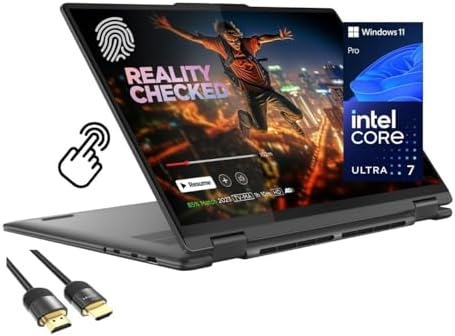
- Superior Performance – Enjoy smart 12-core Ultra 7 155U, fourteen-way processing with Intel Turbo Boost for extra power …
- Immersive Display – Experience natural finger-touch navigation with Windows 11. The 1920 x 1200 resolution provides vivi…
- 360° Flip-and-Fold Design- Switch easily between four modes: laptop, tablet, tent, and stand. Lenovo Transition automati…